Carrier sales load board
Cover the load from your phone.
EBX puts your open loads, the trucks that fit, the offer, the booking and the rate con on one screen. It sits on top of the TMS you already run, and it's built for the phone in a rep's hand.
Watch
EBX in three and a half minutes.
The board with the country on top, the map and deadhead search, trucks that fit, More for this truck, open to booked with the rate con sent in the same tap, two screens at once, swipes, capacity, and carriers with the team one tap away. Sample data, recorded on an earlier release. The tour below shows the current screens.
See it work
Every tap goes one level deeper.
These are real screens from the current release. Tap the ring on the phone, or the steps beside it, to walk through each one.
What's in it
Built for the way carrier sales actually works.
Reps cover freight between calls, on the floor and away from the desk. EBX keeps everything they need for a load within a tap or two.
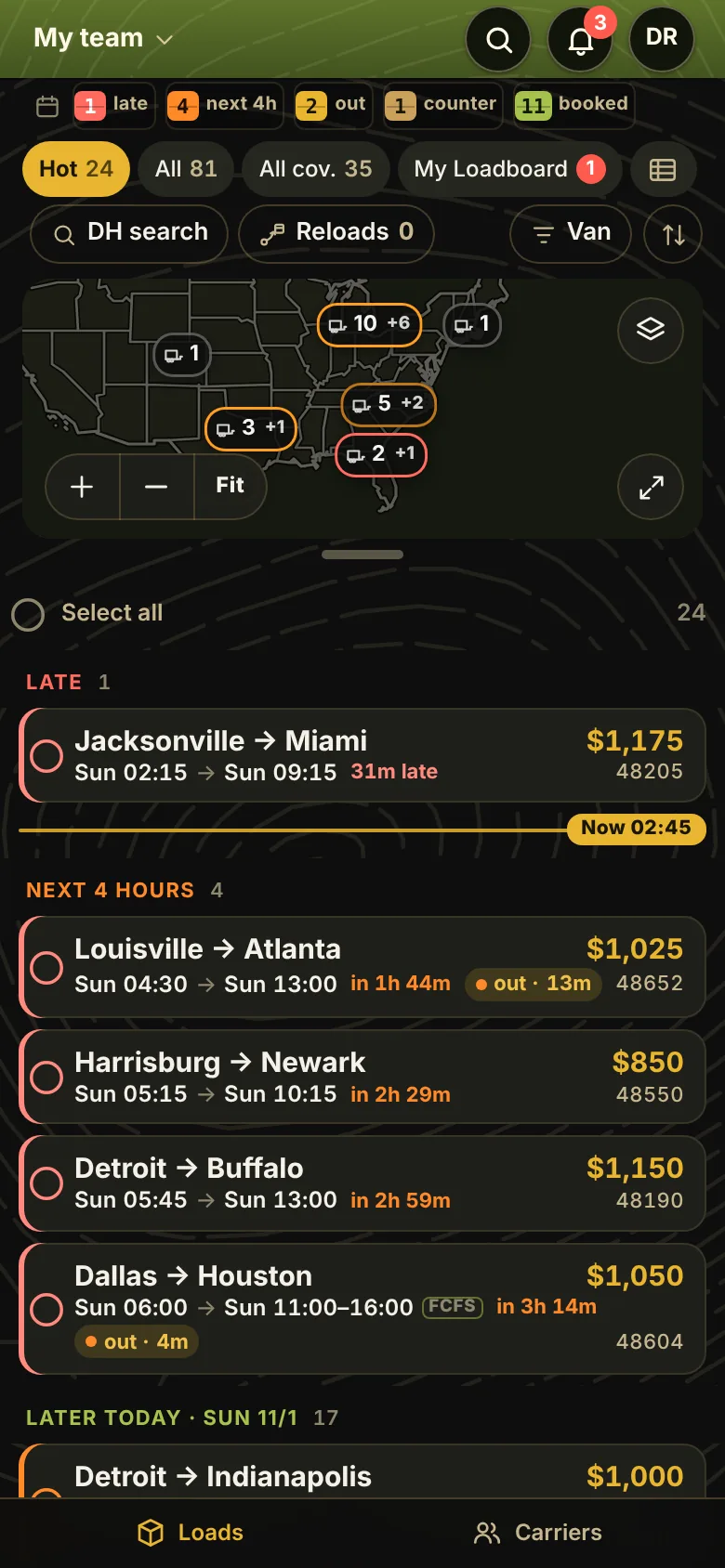
A board that reads at a glance
Every load is its own card: both cities big, each stop’s day and time with first-come windows marked FCFS, and the rate in brass. Cards group by Late, Next 4 hours and the days, with a Now line between what has picked up and what is next. Live counts ride a split-flap strip on top, and new loads wait in a pill until you tap, so the board never moves under your thumb. Two boards side by side when you want them.
The country on top, a tab to size it
The drawn US takes a third of the board. Drag the tab under it, or take it full screen. Pins are pickup cities; when they crowd they merge into one bubble, and a tap zooms in on it. Fit frames everything on the board. Tap an empty spot for a deadhead search, 50 to 500 miles, that stays in the lower 48.
Pick a run, see the miles
Tick loads off the board and a bar comes up: Offer, Lock, Copy, Map. On the map every picked lane shows its miles and drive time, and loads that chain show the deadhead between them. Any truck still shows the other open loads it fits, and one text offers them all.
Offers, counters and locks
Your rate, set from last paid, market or max buy, goes to vetted carriers only, every number checked before it sends, with a “rate good for” clock that grays the offer out at zero. Slide to send, accept or counter right from the alert, and a load lock keeps two reps off the same truck. Nothing sends itself.
Book with guardrails, tender with a check
Book from the carrier’s row with the rate against max buy and the margin in view. Before the rate con goes, EBX asks “Is this info correct before you tender?” with the dispatcher, email and phone right there to fix, then offers to save the change as that carrier’s default. Only a real compliance flag, like expired insurance, needs a manager.
My Loadboard, stage by stage
A pill on Loads holds everything you booked or have out: offers waiting, tendered, accepted, in transit, at pickup, on site, loaded, at each delivery, delivered and completed when the POD comes in. Group it by status, state or region, and swipe a load to its next stage.
Capacity in one place
A truck market map shows where trucks are tight and loose over the next 48 hours. Under it, the best truck for each open load: DAT posts by how recent, your carriers delivering nearby and who ran the lane before, with deadhead leading every row and a fit score on each.
Carriers, Team and the weather
Every carrier shows HQ and where the truck is now; profiles add on-time with you and private notes. Your team’s leaderboard lives one tap away, and a quiet line over the board flags snow at a pickup in the next 48 hours.
Alerts that open what they're about
Counters, capacity and team bookings land in one bell. Accept or counter from the alert, tap to open the load, swipe to archive like Mail. Sent shows every offer, rate con and request that went out, and where each one stands; Before you log off lists what’s still on your desk.
Every screen
Built for the phone.
Two tabs, Loads and Carriers, sized for an iPhone held upright, dark or light, and every number where your thumb is. Nothing to install: EBX opens in the browser and adds to the Home Screen. Swipe sideways on a load for the next one.
The board, map on top, at a glance.
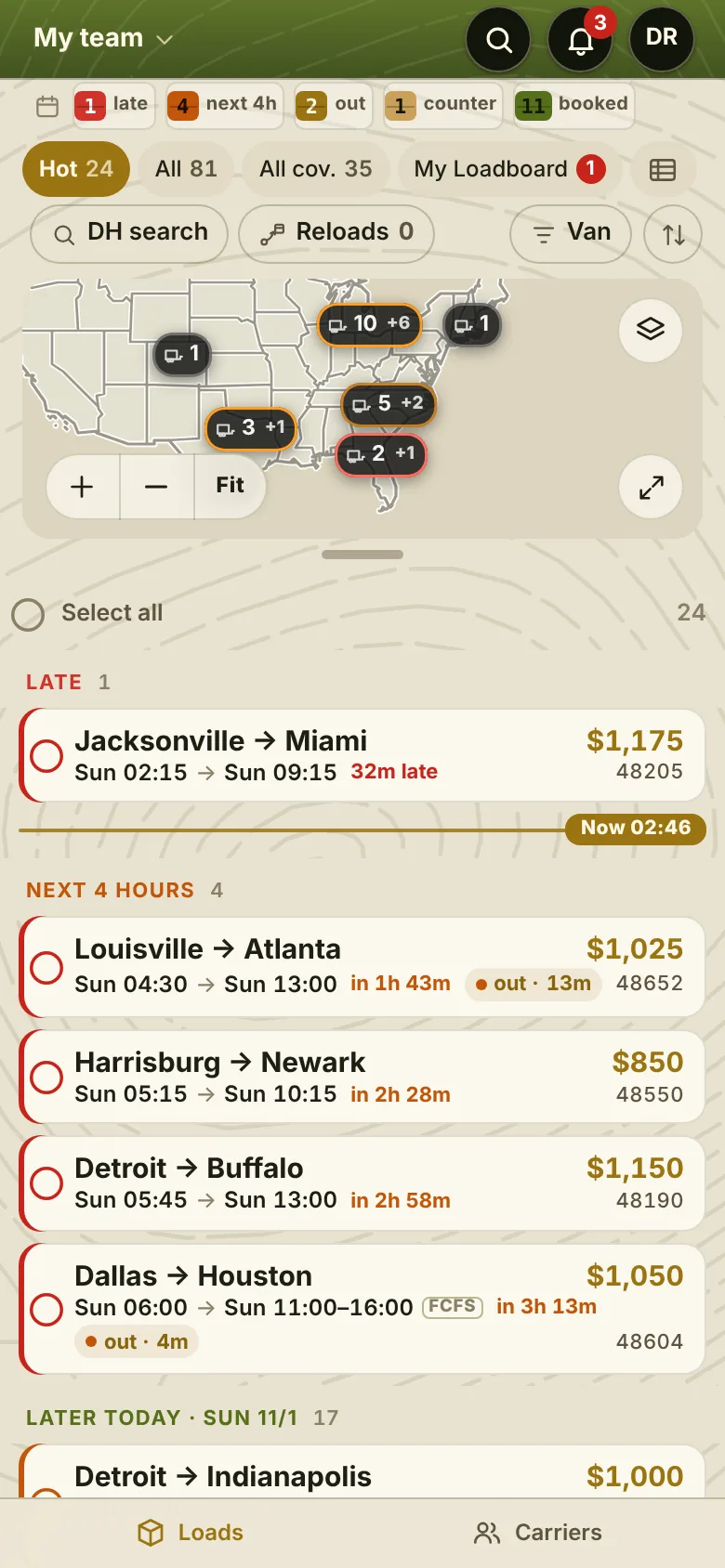
Light or dark, follows the phone.
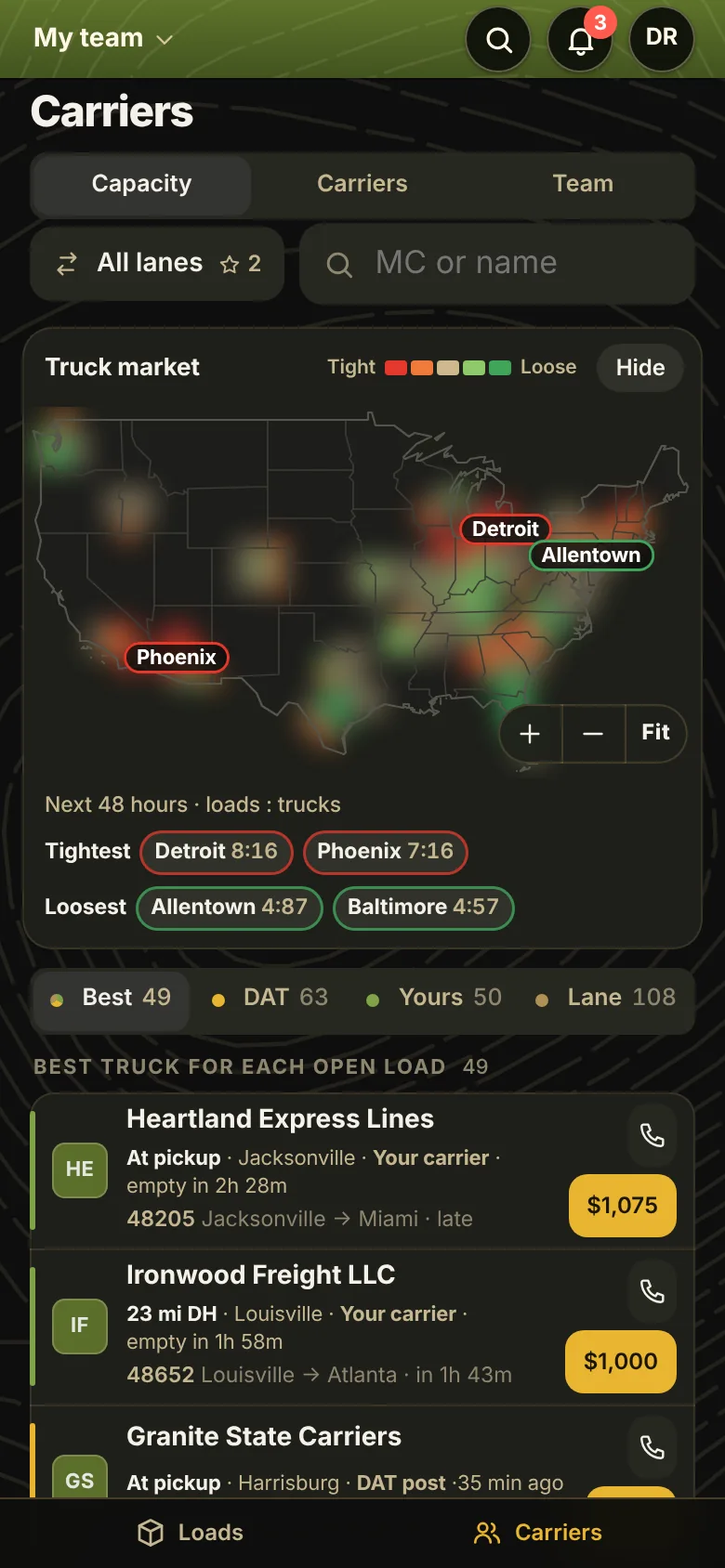
Capacity: the best truck for each load.
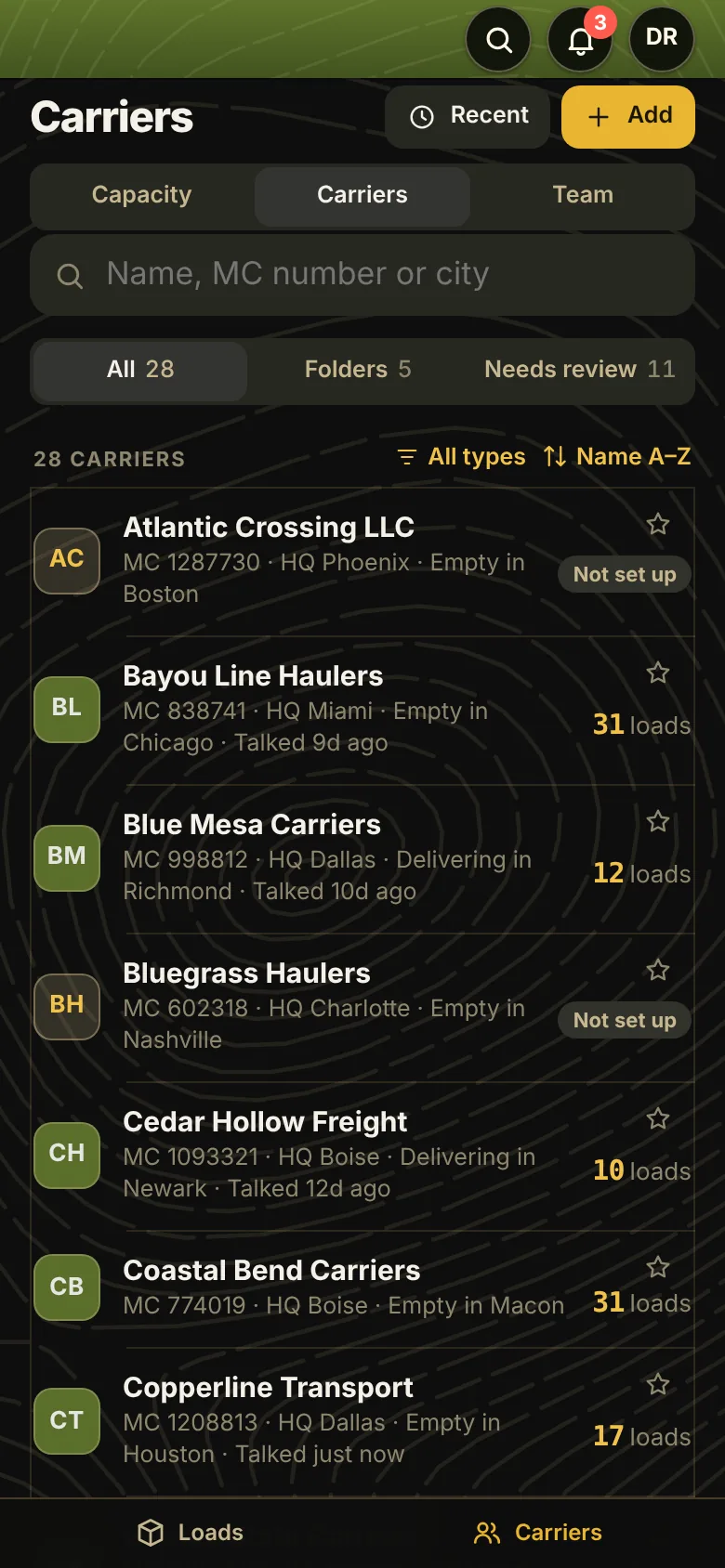
Carriers: HQ and where they are now.
Free pilot
Try it with your own reps.
I manage a carrier sales team, and I built EBX because my reps cover most of their freight away from a desk. Every brokerage I know has the same gap between the TMS and the phone in a rep's hand.
You may already have something similar. I'd like you to see how far this one goes. The pilot is free, it runs on top of the TMS you already have, and you keep the results either way.
- Week 1Set up on your lanesEBX is set up with a sample of your loads and carriers. Nothing to install: reps open a link and add it to their Home Screen.
- Weeks 2–3Your reps use it on live freightA small group works their board from EBX alongside the TMS. Feedback goes in from a button inside the app.
- Week 4Compare the numbersLoads covered, time from posting to booking, and how often reps opened it. You decide what happens next.